All walkthroughs · Walkthrough · 2 · Quotes and invoices
From the numbers to a quote you can send.
Pricing is only half of it. This is what happens next: the version your customer reads, and the invoice you don't have to retype.
The same job, from the breakdown to the invoice.
Picking up the 51.5 m² block paving job from the map walkthrough: what sits behind the price, what the customer sees, and the invoice made from it when they say yes.
- Step 1
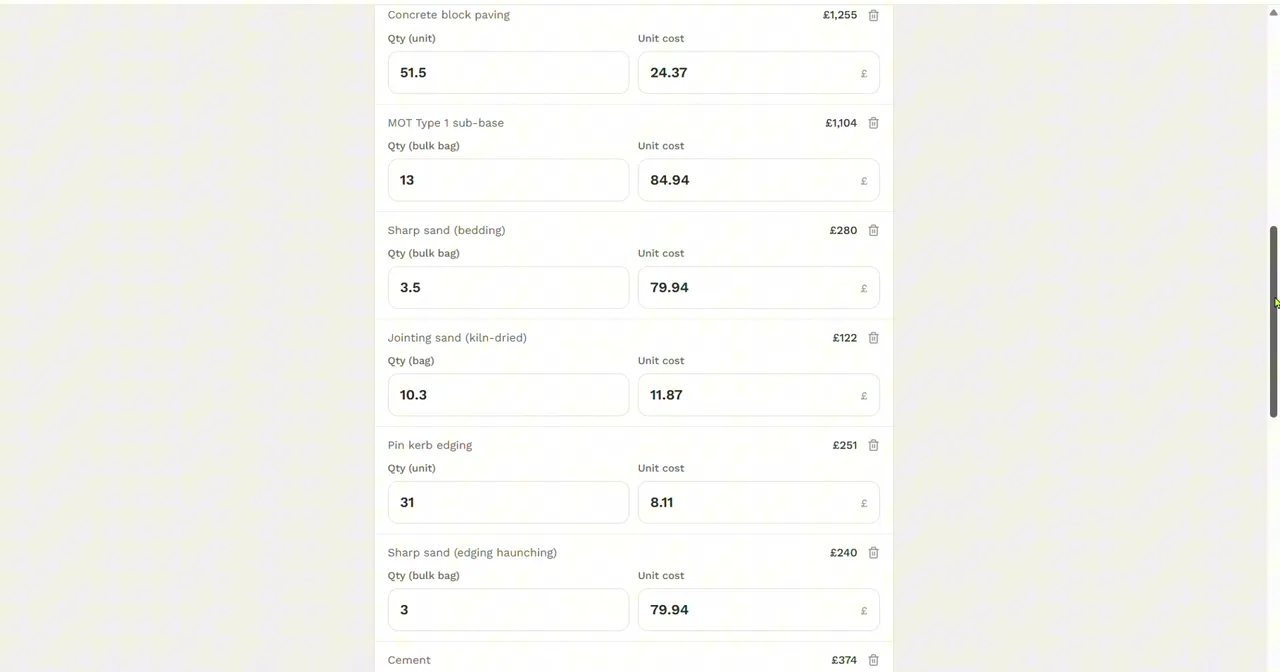
The breakdown behind the price
Every line the price is made of, with its quantity and unit cost: 51.5 m² of block, 13 bulk bags of sub-base, bedding and jointing sand, the pin kerb and its haunching, cement, the digger hire and the labour hours. Any figure can be overwritten with what you actually pay.
- Step 2
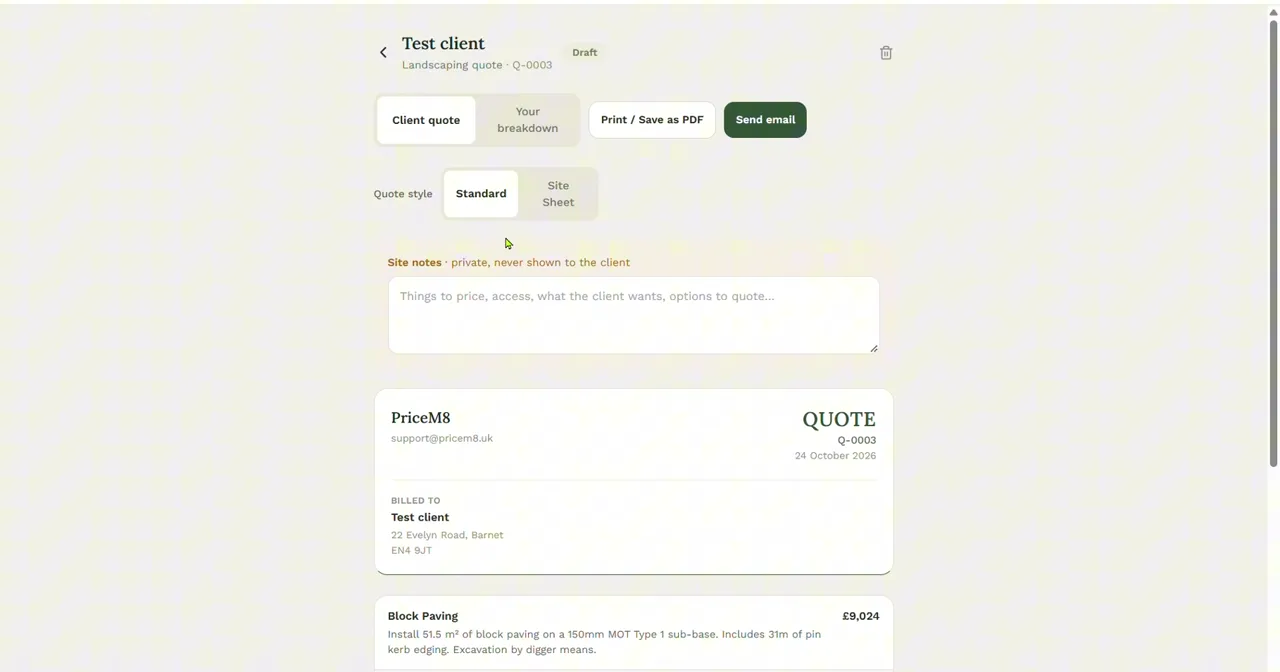
What the customer sees
The client quote has your business name, the quote number and the work written out in plain English, not the sums behind it. Print or save it as a PDF, or send it by email. The Site notes box above it is private: for access, what the client wants and options to quote, and it is never shown to them.
- Step 3
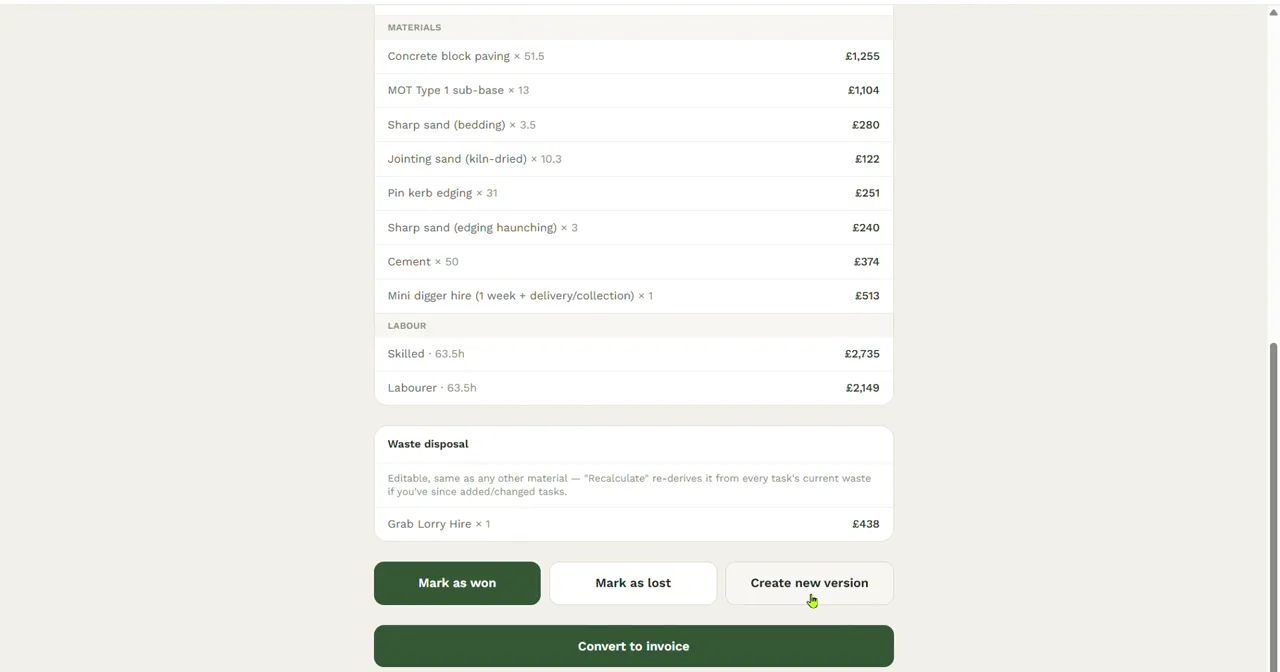
When they say yes
Mark the quote as won, or lost, or make a new version to price a second option. Then Convert to invoice turns it into an invoice with nothing retyped.
Send the next quote the same day.
Price it on site, check the breakdown, and send the PDF before you have left the drive.