All walkthroughs · Walkthrough · 3 · Getting paid
From a deposit to the balance, paid from their banking app.
Most jobs are paid in more than one go. This is how PriceM8 handles the deposit, then asks for the rest by bank payment.
Part paid already? Ask for what is left.
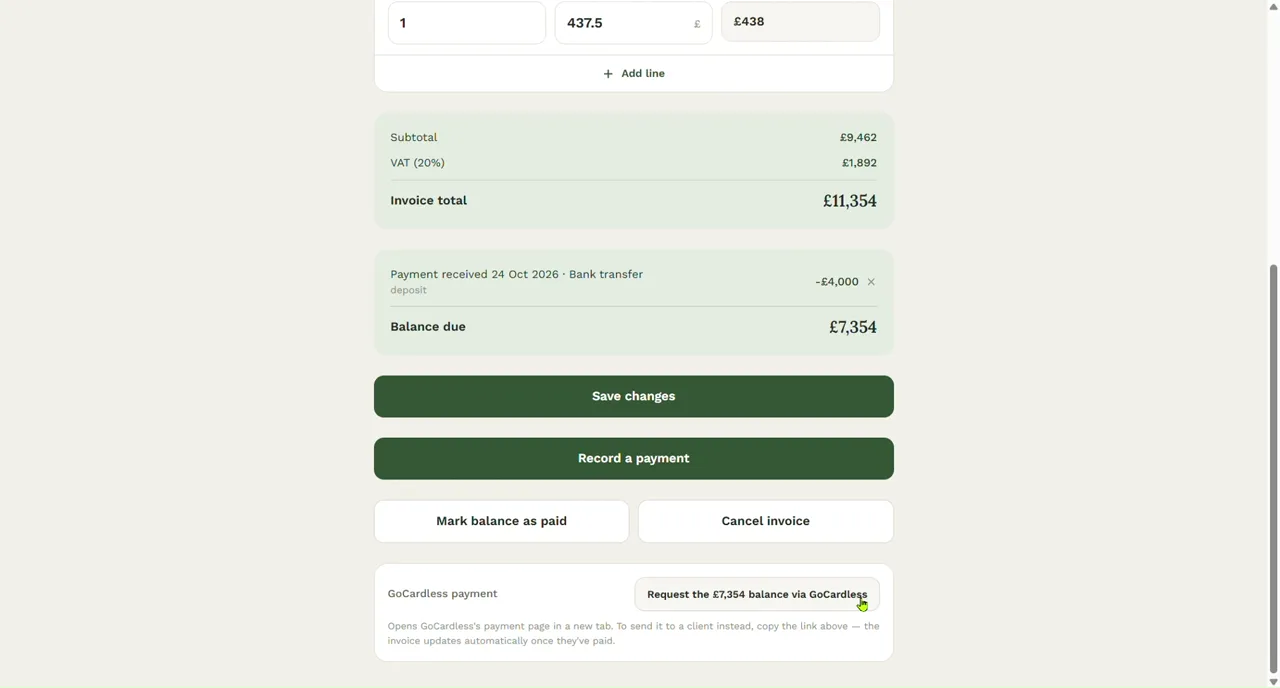
A real invoice in PriceM8: £11,354 in total, a £4,000 deposit already recorded, and one button that asks for the £7,354 still due by bank payment through GoCardless.
- Step 1
A part-paid invoice
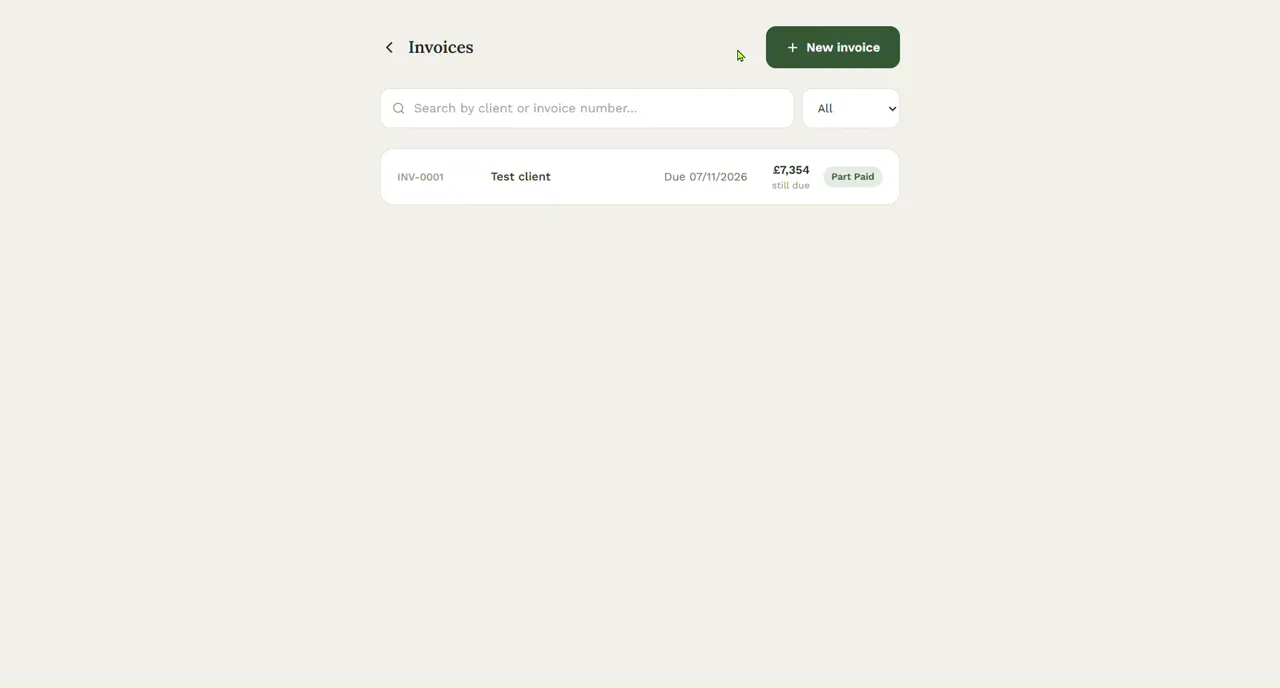
The invoice list shows where each one stands. This one is marked Part Paid, with £7,354 still due.
- Step 2
The total, the deposit and the balance
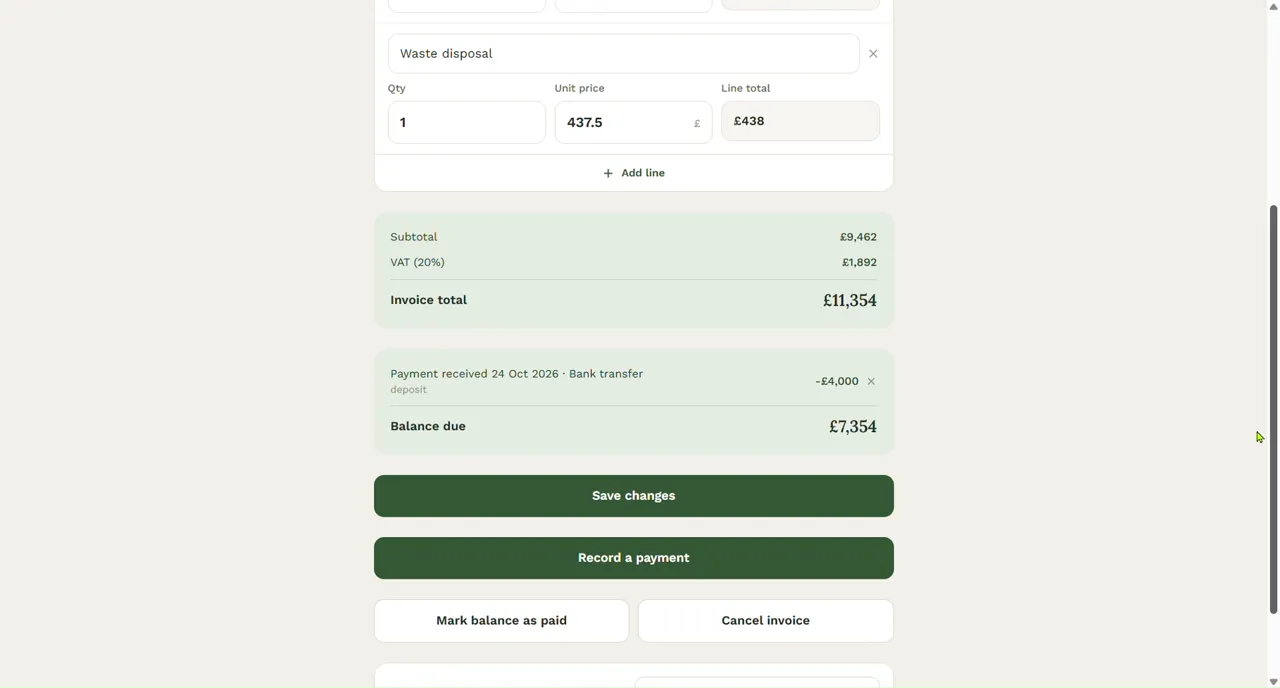
Record each payment as it arrives: a deposit, a stage payment, the balance. The invoice keeps the total, what has been paid and the balance due: £11,354, £4,000 and £7,354 here. Part payments never change the VAT on the invoice.
- Step 3
Request the balance
The GoCardless button asks for the balance, not the whole invoice. It opens GoCardless's payment page in a new tab, and you can copy the link to send to your customer instead. Once they have paid, the invoice is marked paid for you.
- Step 4
What your customer sees
GoCardless's own page: your business name, the invoice number and the amount. The customer picks their bank and approves a one-off payment in their own banking app. There is no Direct Debit to set up, and you never see their bank details.
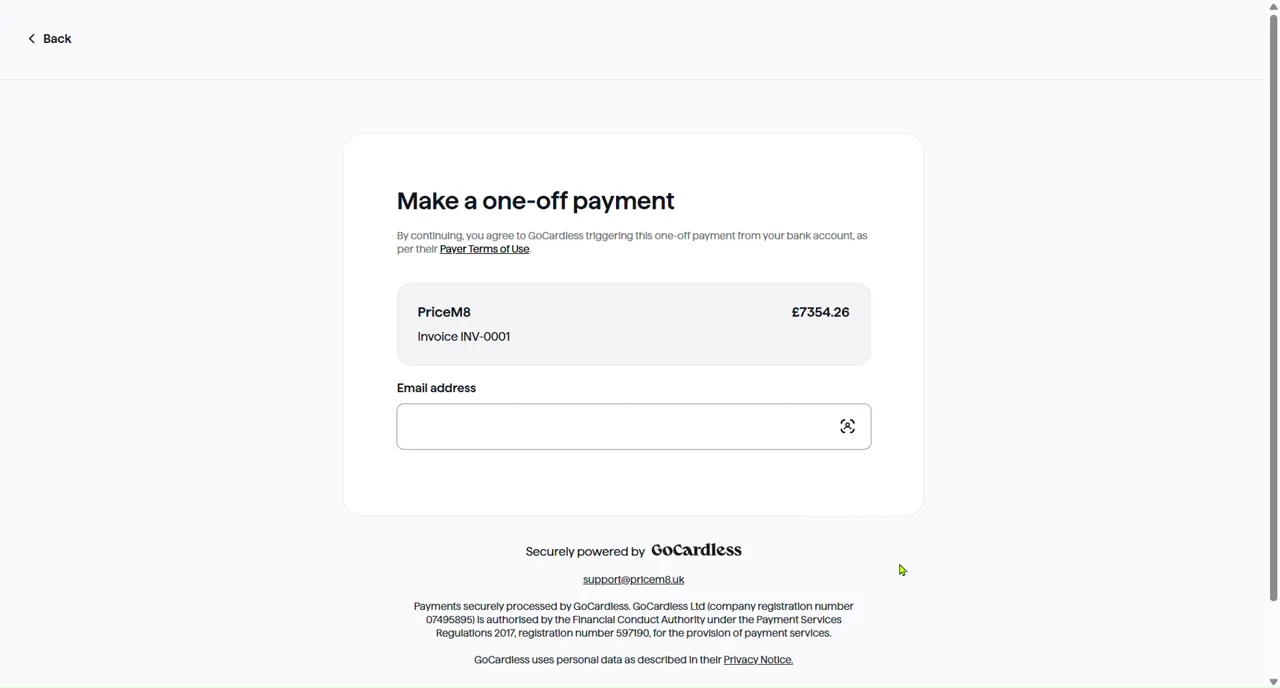
Recorded in GoCardless's test mode with a made-up client, so no real money moved. Bank payment is optional: you can keep taking bank transfer, cash or cheque exactly as before.
Get the next one paid faster.
Take the deposit, send the balance link with the invoice, and let the invoice mark itself paid.